Item Bank
Item Bank Item Bank is an item storage system in MU Europe designed for the safe keeping of jewels and other valuable resources. It allows you to store…
Item Bank is an item storage system in MU Europe designed for the safe keeping of jewels and other valuable resources.
It allows you to store obtained items separately from your character’s inventory and access them at any time, regardless of location or current activity.
How to Open Item Bank
Via Menu
Open the Especial Menu and select Item Bank.
Hotkey
Press the J key on your keyboard.
Using the Item Bank
Viewing Items
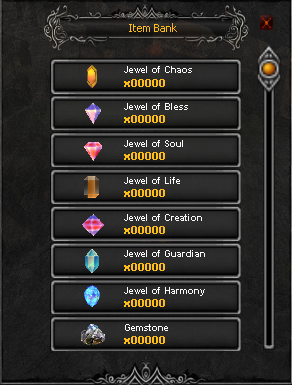
The bank window displays all types of jewels and the quantity of each item currently stored.
Deposit or Withdraw
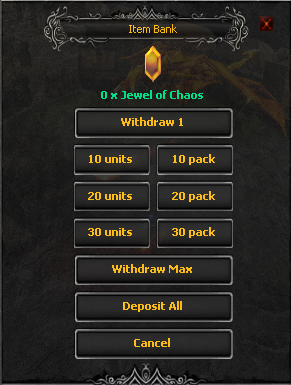
By clicking on the desired item, you can deposit or withdraw any amount - one by one or in stacks.
Tip: hold Ctrl and right-click the item to quickly deposit it into the bank.
Item Bank